|
Moguće rešenje problema...
Citat:Open your registry editor
Navigate to the following registry key:
HKEY_LOCAL_MACHINE\System\CurrentControlSet\Services\atapi
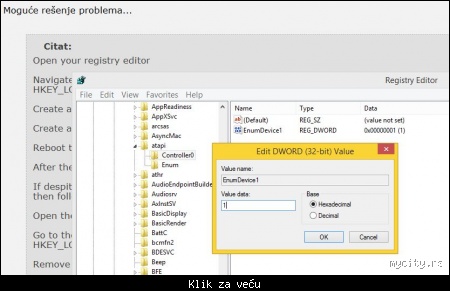
Create a new subkey here under the 'Atapi' key called Controller0.
Create a new DWORD value under Controller0 called EnumDevice1 and set it to 1.
Reboot the PC
After the reboot, your DVD drive should be accessible.
If despite these steps, your DVD drive is still inaccessible or for you, the above keys and values does not work, then follow these steps:
Open the registry editor again.
Go to the following key
HKEY_LOCAL_MACHINE\SYSTEM\CurrentControlSet\Control\Class\{4D36E965-E325-11CE-BFC1-08002BE10318}
Remove the 'UpperFilters' and 'LowerFilters' registry values in the right pane of Registry Editor at this key.
Reboot the PC again.
|